Tis the Definition
Jed Rembold
November 5, 2025
Announcements
- Exam 2 on Friday!
- Study materials all posted
- Section meetings this week will also revolve around studying
- Prep your allowed materials so that you have them all easily accessible on Friday!
- Consider making yourself a personal summary sheet that has examples or code that you find most problematic
- Introducing Enigma project on Monday
- Polling: polling.jedrembold.prof
The Grand Finale!
Finishing the Firework Demo
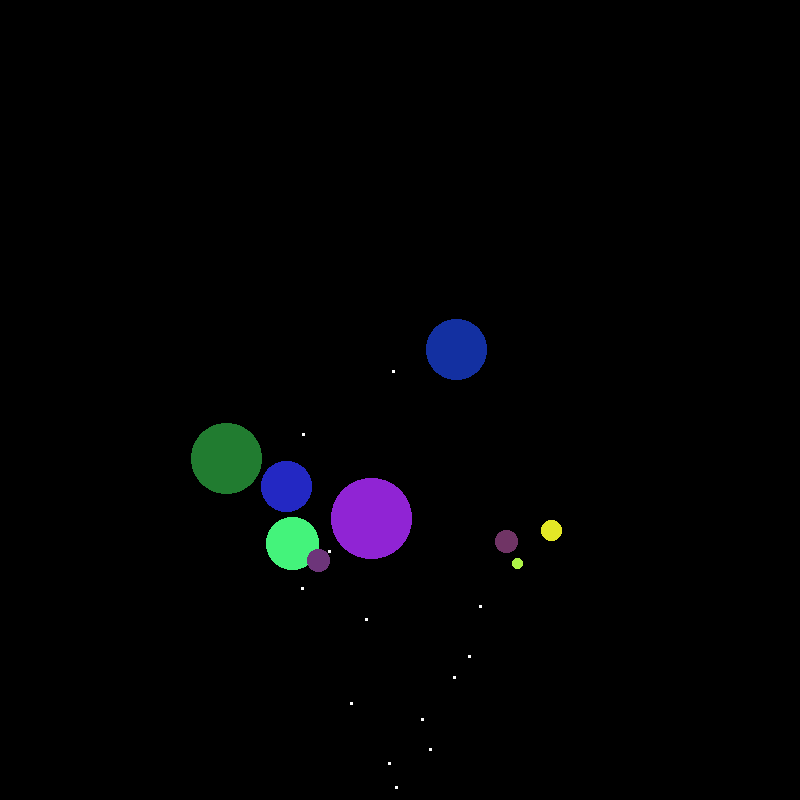
Return of the Firework
from pgl import GWindow, GOval, GRect
import random

GW_WIDTH = 500
GW_HEIGHT = 500

def random_color():
    color = "#"
    for _ in range(6):
        color += random.choice("0123456789ABCDEF")
    return color

class Firework:
    """ Creates a new firework with initial flight and then
    explosion.
    """
    def __init__(self, size):
        self.obj = GOval(GW_WIDTH/2, GW_HEIGHT, size, size)
        self.obj.set_filled(True)
        self.obj.set_color("white")
        self.speed = 5
        self.heading = random.randint(60,120)
        self.fuse = random.randint(50,100)
        self.maxsize = random.randint(60,100)
        self.color = random_color()
        self.mode = 0

    def get_object(self):
        """ Returns the firework graphical object. """
        return self.obj

    def should_terminate(self):
        """ Checks if the firework should be removed. """
        return self.mode > 1

    def move(self):
        """ Moves the firework in its initial flight. """
        self.obj.move_polar(self.speed, self.heading)
        self.fuse -= 1
        if self.fuse < 0:
            self.mode += 1
            self.obj.set_color(self.color)

    def explode(self):
        """ Grows the firework explosion upon detonation. """
        R = 2
        x = self.obj.get_x()
        y = self.obj.get_y()
        S = self.obj.get_width()
        self.obj.set_bounds(x-R/2, y-R/2, S+R, S+R)
        if self.obj.get_width() >= self.maxsize:
            self.mode += 1

    def update(self):
        """ Controls what the firework should be doing during
        each stage.
        """
        if self.mode == 0:
            self.move()
        elif self.mode == 1:
            self.explode()


def fireworks_show():
    """ Makes a fireworks show! """
    def step():
        """ Calls up update method on all fireworks in the box
        and removes if necessary.
        """
        for f in firework_box[:]:
            f.update()
            if f.should_terminate():
                gw.remove(f.get_object())
                firework_box.remove(f)


    def give_me_more_fireworks():
        """ Adds more fireworks to the box. """
        new = Firework(2)
        firework_box.append(new)
        gw.add(new.get_object())

    gw = GWindow(GW_WIDTH, GW_HEIGHT)
    sky = GRect(GW_WIDTH, GW_HEIGHT)
    sky.set_filled(True)
    gw.add(sky)
    firework_box = []

    gw.set_interval(step, 20)
    gw.set_interval(give_me_more_fireworks, 100)

if __name__ == '__main__':
    fireworks_show()
Paired Object Types
Maps and Dictionaries
- A common form of information associates pairs of data values
- Commonly called a map in computer science
- Python calls such a structure a dictionary
- A dictionary associates two different values:
- A simple value called the key, which is often a string but doesn’t need to be
- A larger and more complex object called the value
- This idea of associating pairs of values is exhibited all over in
the real world
- Actual dictionaries! The words are the keys, the definitions the values.
- Web addresses! Keys are the urls, the values are the webpage contents.
Creating Dictionaries
Python dictionaries use squiggly brackets or braces
{}to enclose their contentsCan create an empty dictionary by providing no key-value pairs:
empty_dict = {}If creating a dictionary with key-value pairs
- Keys are separated from values with a colon
: - Pairs are separated by a comma
,
generic_dict = {'Bob': 21, 0: False, 13: 'Thirteen'}- Keys are separated from values with a colon
Keys and Values
- The value of a key-value pair can be any Python
object, mutable or immutable
- This include other dictionaries!
- The key is more restricted:
- Must be immutable
- So dictionaries or lists can not work as a key
- Tuples can though!
- Must be unique per dictionary
- Must be immutable
A = {True: 'Seth', False: 'Jesse'}
B = {'Jill': 13, 'Jack': 12}
C = {(1,2): {'x': 1}}
X = {{'x': 1, 'y': 2}: 'Shark'}
Y = {[1,3,5]: 'Odd'}
Z = {'A': 13, 'B': 24, 'A': 15}Selection
The fundamental operation on dictionaries is selection, which is still indicated with square brackets:
[]Dictionaries though are unordered, so it is not a numeric index that goes inside the
[ ]You instead use the key directly to select corresponding values:
>>> A = {'Jack': 12, 'Jill': 13}['Jack']
>>> print(A)
12
>>> B = {True: 13, 0: 'Why?'}[0]
>>> print(B)
Why?
Losing your keys
If you attempt to index out a key that doesn’t exist:
A = {'Jack': 12, 'Jill': 13}
print(A['Jil'])
you will get an error!
If in doubt, check for the presence of a key with the
inoperator:if 'Jil' in A: print(A['Jil'])
Rewriting the Dictionary
- Dictionaries are mutable!
- We can add new key-value pairs
- We can change the value of corresponding keys
>>> d = {}
>>> d['A'] = 10
>>> d['B'] = 12
>>> print(d)
{'A':10, 'B':12}
>>> d['A'] = d['B']
>>> print(d)
{'A':12, 'B':12}
Understanding Check
What is the printed value of the below code?
A = [
    {'name': 'Jill',  'weight':125, 'height':62},
    {'name': 'Sam',   'height':68},
    {'name': 'Bobby', 'height':72},
]
A.append({'weight':204, 'height':70, 'name':'Jim'})
B= A[1]
B['weight'] = 167
print([d['weight'] for d in A if 'weight' in d])-
[100,204] -
[156,173,204]
-
[100,167,173,204] -
[125,167,204]
Iterating through a Dictionary
Frequently we might want to iterate through a dictionary, checking either its values or its keys
Python supports iteration with the
forstatement, which has the form of:for key in |||dictionary|||: value = |||dictionary|||[key] |||code to work with that key and value|||You can also use the
.itemsmethod to grab both key and values together:- Returns a tuple with both the key and corresponding pair
for key, value in |||dictionary|||.items():
    |||code to work with that key and value|||
Finding Students by grade
Suppose we had a file of student ids and corresponding grades on a test
We want a simple program where we can enter in a target grade and have it tell us all the students who received that grade
def read_to_dict(filename):
    dictionary = {}
    with open(filename) as f:
      for line in f:
          ID, score = line.strip().split(',')
          dictionary[ID] = score
    return dictionary

def get_students_with_score():
    scores = read_to_dict('SampleGrades.txt')
    done = False
    while not done:
        des_grade = input('Enter a letter grade: ')
        if des_grade == "":
            done = True
        else:
            for st_id, grade in scores.items():
                if grade == des_grade.strip().upper():
                    print(f"{st_id} got a {grade}")
Common Dictionary Methods
| Method call | Description |
|---|---|
len(|||dict|||) |
Returns the number of key-value pairs in the dictionary |
|||dict|||.get(|||key|||, |||value|||) |
Returns the value associated with the
key in the dictionary. If the key is not
found, returns the specified value, which is
None by default) |
|||dict|||.pop(|||key|||) |
Removes the key-value pair corresponding to
key and returns the associated value. Will
raise an error if the key is not found. |
|||dict|||.clear() |
Removes all key-value pairs from the dictionary, leaving it empty. |
|||dict|||.items() |
Returns an iterable object that cycles through the successive tuples consisting of a key-value pair. |
Dictionary Records
While most commonly used to indicate mappings, dictionaries have seen increased use of late as structures to store records
Looks surprisingly close to our original template of:
boss = {
    'name': 'Scrooge',
    'title': 'founder',
    'salary': 1000
    }
Allows easy access of attributes without worrying about ordering
print(boss['name'])It is still using a mutable data-type to represent something that should be immutable though
More Squiggles: Sets
Mathematical Sets
- A set is an unordered collection of
distinct values.
- digits = 0, 1, 2, 3, 4, 5, 6, 7, 8, 9
- evens = 0, 2, 4, 6, 8
- odds = 1, 3, 5, 7, 9
- primes = 2, 3, 5, 7
- squares = 0, 1, 4, 9
- primary = red, green, blue
- \(\mathbf{R}\) = x where x is a real number
- \(\mathbf{Z}\) = x where x is an integer
- \(\mathbf{N}\) = x where x is an integer >=0
- The set with no elements is call the empty set (∅)
Pythonic Sets
- Enclosed within squiggly brackets
- No key-value pairs, just single values separated by commas
digits = { 0, 1, 2, 3, 4, 6, 7, 8, 9 }
squares = { 0, 1, 4, 9 }
primary = { "red", "green", "blue" }- Set elements must be immutable
- Sets themselves are generally mutable
- Can not create an empty set just using
{ }!- Python assumes this to be an empty dictionary!
- Must instead use
set().
Set Operations
- The fundamental set operation is membership (∈)
- 3 ∈ primes
- 3 ∉ evens
- red ∈ primary
- -1 ∉ N
- The union of the sets \(A\) and \(B\) (\(A \cup B\)) consists of all elements in either \(A\) or \(B\) or both.
- The intersection of the sets \(A\) and \(B\) (\(A \cap B\)) consists of all elements in both \(A\) and \(B\).
- The set difference of \(A\) and \(B\) (\(A - B\)) consists of all elements in \(A\) but not in \(B\).
- The symmetric set difference of \(A\) and \(B\) (\(A\triangle B\)) consists of all elements in \(A\) or \(B\) but not in both.
Python Implementations
- Python’s built-in implementation of sets supports all these same operations
- Can either use appropriately named methods on sets or operators between sets
- Membership
3 in primes
- Union:
A.union(B)A | B - Intersection
A.intersection(B)A & B
- Difference
A.difference(B)A - B - Symmetric difference
A.symmetric_difference(B)A ^ B
Venn Diagrams
- A Venn Diagram is a graphical representation of a set which indicates common elements as overlapping areas
- The following Venn diagrams illustrate the effect of the 4 primary set operations