Cross Tabulations
Jed Rembold
Monday, October 27, 2025
Announcements
- HW7 feedback went out!
- Test 2 on Wednesday!
- No HW due
- Study Guides and last years exam posted
- Allowed a 3x5 inch index card, handwritten, one sided for notes
- New grade reports went out
- Withdrawal deadline is tomorrow, so let’s chat today if you are worried
- Polling today: polling.jedrembold.prof
Review Question
Given the starting table called rev, what
is the output of the query?
| name | num |
|---|---|
| A | 1 |
| B | 2 |
| C | 3 |
| D | 4 |
| E | 5 |
SELECT name
FROM rev
WHERE num IN (
  SELECT
    num - (SELECT avg(num) FROM rev)
  FROM rev
  WHERE num >= ALL (
    SELECT num FROM rev
  )
);
Reusing Derived Tables
Common Table Expressions
Sometimes you may want to use the same derived tables multiple places in a query
You could copy and paste those subqueries, but there is a better way
Common Table Expressions or CTEs are a way for you to define up front a derived table that can be referenced anywhere in the rest of the query
To do so, you use a
WITHkeyword at the start of the query:WITH |||derived table name||| (|||column names|||) AS ( |||subquery||| ) SELECT ...
CTE Details
- The number of columns returned by your subquery
must match the number of column names you initially
define
- If you aren’t going to rename the columns, you do not even really need to include the new column names, but it can be nice for clarity
- You do not need to include data types, as these will be inherited from the subquery columns
- You can include multiple derived tables in the CTE statement, separated by commas
- Good use of CTE’s can help clarify and simplify queries
- Especially if you have a subquery that you need to reference a few times, use a CTE!
Example
Using a CTE and other subqueries, let’s extract the middle 50% of the taxi_rides by duration.
Pivot Tables
Why Cross Tabulation?
- SQL tables tend to operate with observations (records/rows) and
variables (columns)
- Commonly called a “tidy” data format
- This isn’t always the most human-readable format
- Cross-tabulations or pivot tables compare aggregates of variables to other variables
| Name | Color | Condition | Number |
|---|---|---|---|
| Apple | Red | Good | 5 |
| Orange | Orange | Bad | 3 |
| Cherry | Red | Good | 10 |
| Banana | Yellow | Good | 1 |
| Pineapple | Yellow | Bad | 4 |
| Color | Good | Bad |
|---|---|---|
| Red | 15 | 0 |
| Orange | 0 | 3 |
| Yellow | 1 | 4 |
Extensions
Standard SQL has no way to create these cross-tabulations
- They can’t be accomplished just through grouping, as you are needing to create new columns
Postgres has a function to help, but it is located in an extension or module
- Extensions to Postgres are collections of functions, date types, and more which add some functionality to a particular database
To use an extension, you need only enable it for your particular database
CREATE EXTENSION |||extension name|||;To facilitate making pivot tables, we need to add the
tablefuncextension to our database, which will add thecrosstabfunctionYou can always remove an extension using
DROPif you need later
Pieces of the Crosstab
- The
crosstabfunction has a lot going on, so let’s break things down
SELECT *
FROM crosstab(
  |||subquery 1 string|||,
  |||subquery 2 string|||
  )
AS (
  |||row label column||| TEXT,
  |||column 1||| |||type 1|||,
  |||column 2||| |||type 2|||,
  ⋮
);- Subquery 1 must return 3 columns
- The first is the row label values
- The second is the column label values
- The third is the particular data values
- Subquery 2 returns a single column
- What column categories should rows be placed into?
- You still need to define the column names and data
types
- First should be the row label name and data type
- Rest should be whatever column categories you are creating
Subquery Strings
- You must provide the subqueries to
crosstabas strings - Surrounding the entire query in single quotes though can be
incredibly annoying if your subquery also involves strings
- You would have to “escape” out all the interior single quotes with
\ - Plus it is then impossible to “test-run” the subquery by itself
- You would have to “escape” out all the interior single quotes with
- Usually far easier to use double
$$to indicate the start and end of the string- Has the side benefit of leaving the subquery perfectly capable of being selected and run independently
Example
Let’s construct a pivot table comparing the total number of taxi rides at different days of the week across different hours.
A Case Study
On the Case
- It can be useful in certain situations to employ a little conditional logic outside a filtering statement
- Can be particularly useful to tweak or reclassify values
- Standard SQL has the
CASEstatement to accomplish this- Essentially works like many programming language’s if…else if…else blocks
CASE
  WHEN |||some condition||| THEN |||output|||
  WHEN |||some other condition||| THEN |||diff output|||
  ⋮
  ELSE |||more diff output|||
END
A Case Study
Comparisons are made in order, so the first condition that matches, that output is used
If you do not include an
ELSEpart, thenNULLwill be output if nothing else matchesCASEstatements most often show up inSELECTstatements where column outputs are being selected, but they could potentially also show up in filtering or ordering statementsA
CASEstatement will not evaluate results where the condition is not met, so they can be used to prevent certain errors as well (such as dividing by 0)SELECT CASE WHEN |||col||| != 0 THEN 5/|||col||| END FROM |||table|||;
Example
Let’s compute how many taxi rides were considered:
- “Time Travelers” with a duration of less than 0
- “Short Trips” with a duration less than 5 minutes
- “Medium Trips” with a duration between 5 and 15 minutes
- “Long Trips” with a duration greater than 15 minutes
Coalesce
- Similar to
CASE, SQL also has theCOALESCEstatement COALESCEtechnically returns the first non-null value in the comma separate list of values- Most frequently used to substitute a default value for
NULLvalues
SELECT
  student_id,
  COALESCE(grade, 0)
FROM grades;
Activity Time!
Grade Reporting
Using the same grade book tables from last class (here if you need them again), do the following:
- Create a pivot table for student quiz row point scores with full
student names as the rows and individual quizzes as the columns. You can
concatenate two strings in SQL using the
||operator. Sofname || ' ' || lnamewould give the first and last name with a space between as a single string. Feel free to use joins here. - Create a pivot table for student letter grades on each quiz. Parts of this will look really similar to what you did in the first part, but there will be some important differences.
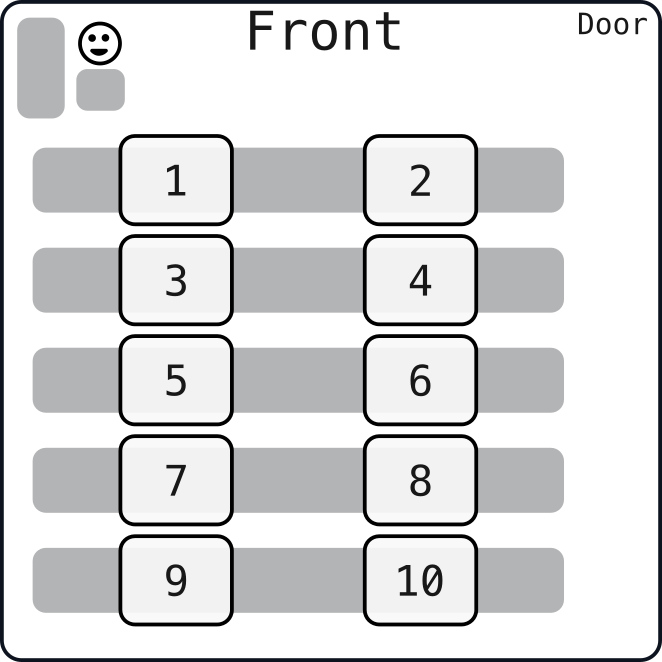
Today’s Groups
- 1: Jimmy, Cody, Cecil
- 2: Evyn, Lola, Mia
- 3: Sophie, Saul, Addison
- 4: Nico, Kara, Farley
- 5: Thomas, Meghla, Gregory
- 6: Jackson, Finn, Emma M
- 7: Oliver, Tegan, Aaron
- 8: Judah, Catalina, Julia
- 9: Jude, Beyla, Jose
- 10: KJ, Michael, Emma S
- 11: Evan, Salvador, Talia
- 12: Connor, Dominic