The Role of Pipelines
Jed Rembold
May 12/13, 2026
Announcements
- Resources are coming online, are these all up?
- Course Webpage
- Canvas Page
- Discord Channel
- Looking forwards
- Check out the full syllabus
- Respond to potential group preferences poll
- If you are feeling rusty, some past content to review:
- SSH-ing into a system
- Docker container basics
- Basic SQL
Evenings Plan
- Data Architecture
- Syllabus stuff
- Transformations review activity
An Introduction
Who am I?
- Name:
- Jed Rembold
- Background:
- PhD in Physics with specialization in Astrophysics
-
- Now full-time in the CS and DS departments
-
- Teaching you the database skills I wish I’d had years ago
- Office:
- Ford 214
- Hours: Whenever you catch me on Discord, or by appointment
- Email:
- jjrembold@willamette.edu

More Fun Esoteric About Me
- Here are a few more random bits of Jed trivia:
- I wanted to be an astronaut when I was little
- I use the Dvorak keyboard layout instead of Qwerty
- Ice cream is the best food
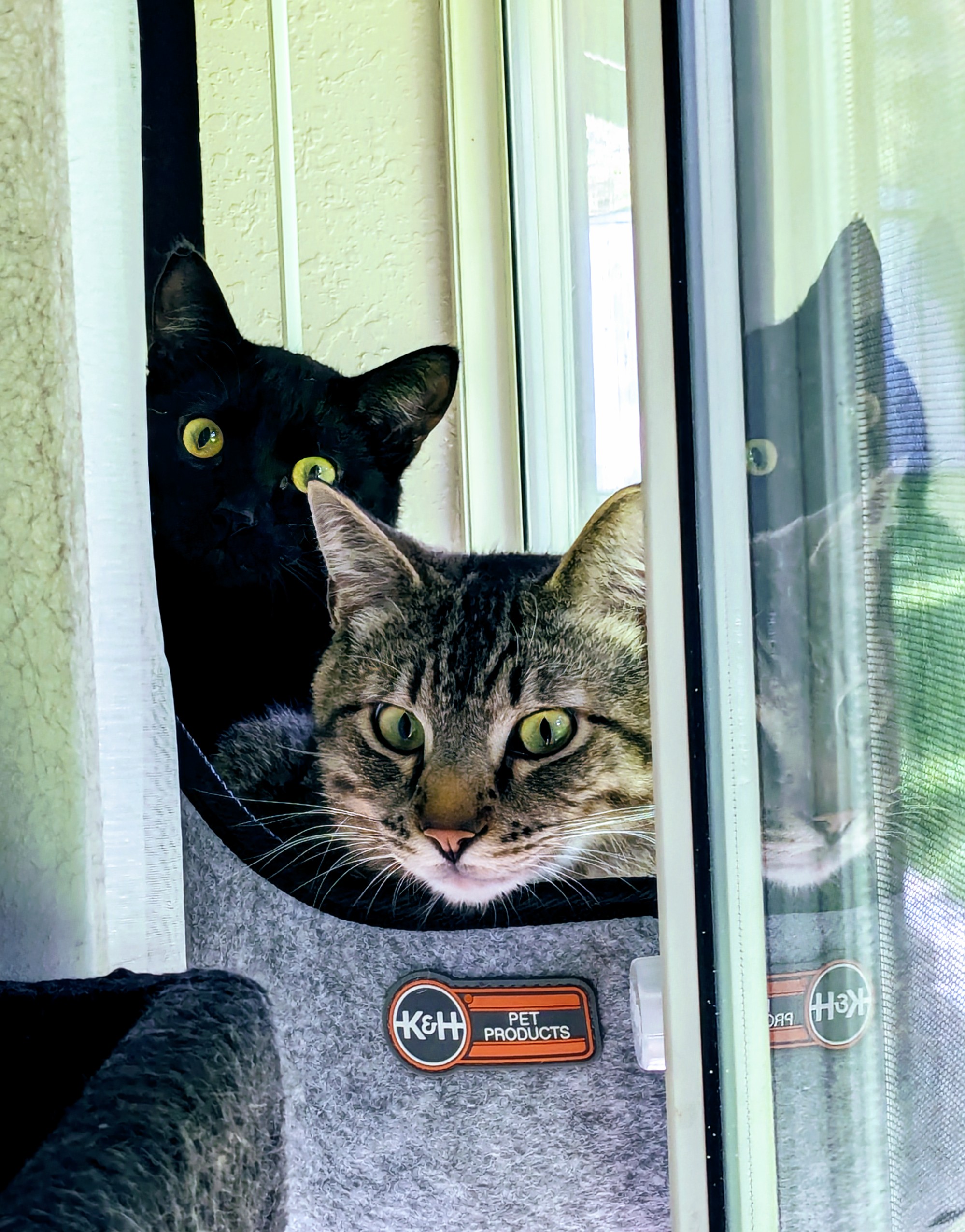
- I have two cats named Phobos and Deimos
Big Picture
The Data Lake
- Really just a storage location
- Usually in the cloud (S3 buckets)
- Snapshots of structured data and any unstructured data are dumped here
- For cost reasons, we will mimic S3 in this class with MinIO, a local
S3 deployment
- Functionally identical to things like AWS S3 buckets
Orchestration
- We need methods to “stitch” together the various parts of our pipeline
- To do this reliably, these connections often have several steps, which can make pure Cron scheduling rigid and unflexible
- To solve this issue, we have software called orchestrators, which:
- Maintain and enforce dependencies between different steps (this must happen before this can happen)
- Allow for the scheduling of groupings of tasks based on a schedule or reactive (this must happen at 5pm every day, or this must happen when a new file shows up in this bucket)
- Facilitate connections between many different tools (databases, storage blocks, monitoring software, etc.)
Orchestrator vs Transformer
- There are technically two things here that are sometimes combined,
sometimes not:
- The code that you want to run (the transformer)
- The code that governs the orchestration pipeline itself
- For smaller pipelines, these things can often be bundled together
- For large pipelines, you absolutely want the transformer code separate: it will likely run on entirely different hardware
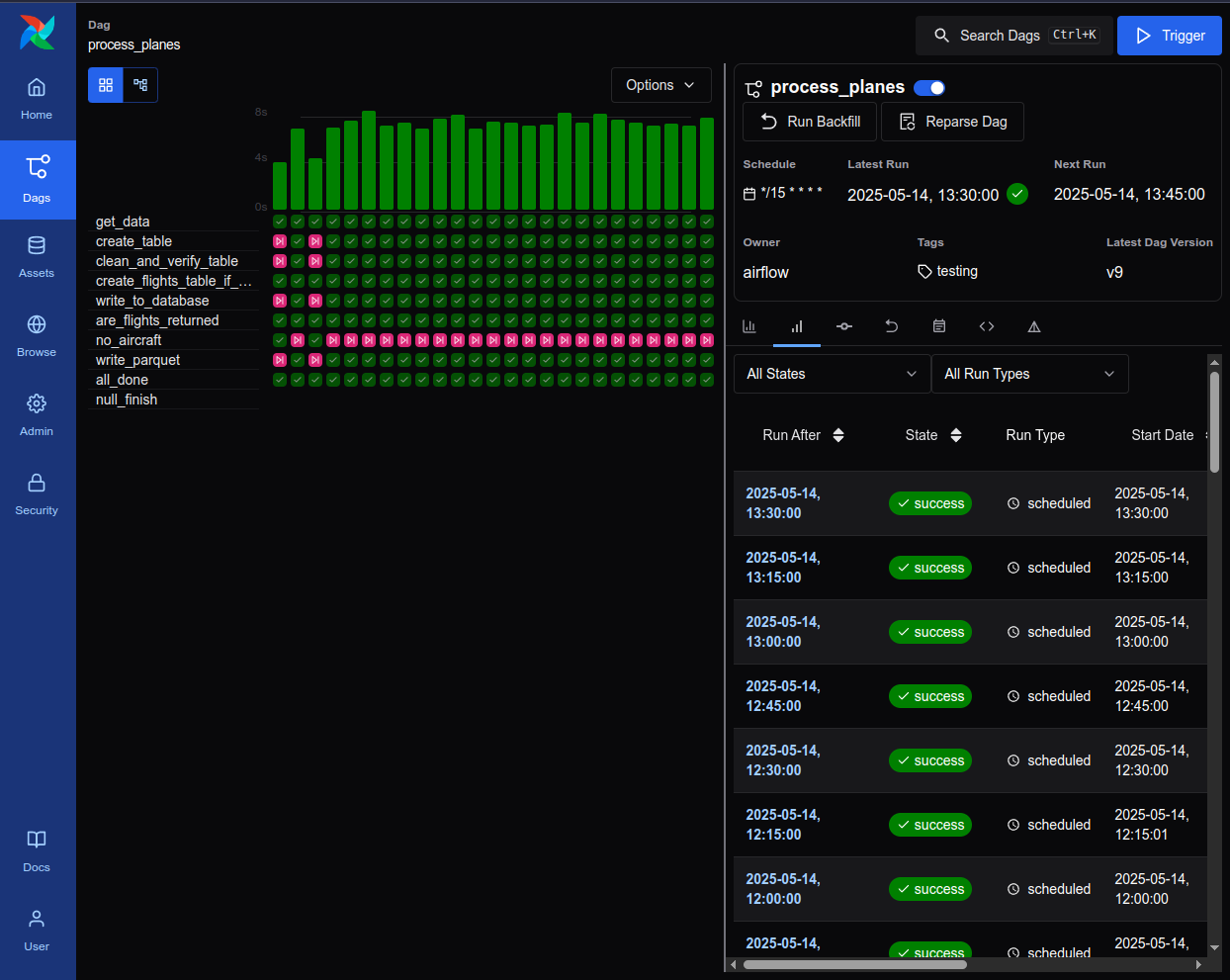
Airflow
- Around the longest (2014), with still the greatest market share
- Pipelines all arranged around DAGs (Directed Acyclic Graphs), described in Python
- Individual tasks executed in a wide variety of languages/tools
- Still actively maintained and improved, but does show its age in some things
Other Orchetrators
- Airflow is by no means unique, and there are a host of other pieces of orchestration software, each with its pros and cons
- Prefect
- Very Python-centric, dynamic DAGs, clunkier backfills
- Dagster
- Orchestration is Python, but tasks can be anything, asset-based
- Kestra
- Workflows defined in YAML
Data Warehouses
- Warehouses are generally optimized for analytics, which makes them
fundamentally different from transactional databases
- Data is stored in column preference rather than row preference
- Metadata about columns is usually stored as well, for faster lookups
- Often NOT normalized
- Lots of joins in analytics is expensive and undesirable
- The data should not be changing much, so the need of normalization to help enforce data quality is less strong
- While we could utilize dedicated OLAP databases here, like
Clickhouse, I think it is a bit too much extra mental overhead
- Instead we’ll use Postgres more AS an OLAP warehouse
- If needed for speed, can always implement the
pg_duckdbextension
OLAP Cubes
- The full data warehouse is often still more unwieldy or normalized than certain analytics may desire
- OLAP cubes are essentially specialized portions or versions of the warehouse custom packaged to enable quick and straightforward querying for specific tasks
- May be linked to things like C-block dashboards, machine learning flows, or further analytic APIs
Syllabus Stuff
Learning Objectives
By the end of this class you should be able to:
- Understand, model, and implement a modern data pipeline architecture: including data lakes, data warehouses, and the orchestration binding them all together
- Connect and work productively on remote systems
- Thoroughly document data pipelines, including lineage, data dictionaries, and architecture design records
- Quickly learn and adjust to new data pipelines designed by others
- Ingest and synthesize data from a wider variety of sources, including relational, graph, and document databases, logs and metrics, and event queues
- Build architecture and dashboards to meet evolving business and technological requirements
Projects
- This is fundamentally a single project based class
- The goal is to work in groups of about 3 to build a data pipeline of progessing complexity over the course of the semester
- The data sources will be the same for everyone, and provided by
myself in the form of simulated data.
- The theme will revolve around the Prague metro system
- The details of your pipeline will be largely up to you and your group. The output will be evaluated in the form of dashboards that address a particular business need or concern every 1-2 weeks
The Wrinkle
- At two points throughout the semester, everyone will rotate
to new projects!
- Approximately midway through June and midway through July
- The truth is that you will almost never take a job where you are
starting from scratch with a data pipeline.
- There is almost always going to be some portion of a pipeline present that you need to learn, adapt to, and then build on top of
- Stresses the importance of proper documentation
Ramifications
- Because others will be inheriting your project, we will place an importance on documentation
- You must document:
- What you have done. So that new groups can understand what they are working with.
- Why you made certain choices. New groups are going to need to build on top of your infrastructure, which commonly might mean adapting it. Are they safe to delete a particular table or workflow? If they change a timestamp field to a timestamp field with a time zone, is that going to break anything?
- How everything is linked together. This is commonly called the lineage of the data, and your orchestrator can help with visualizing some of this.
Documentation Artifacts
- Each project will have a directory within it where all of this documentation can live. Images are also an important part of documentation and can live in the same directory.
- I’m exploring self-hosted wiki options for each group to better to able to write and render their documentation
- Each rotation, I will evaluate the documentation myself, as well as getting feedback from the group that inherited your project
Reflecting
- I will be asking each student to keep a reflection journal over the semester
- One entry to be added each week
- Template will include things like:
- What have you learned from working with your data pipeline this week?
- What are you currently struggling with the most?
- How have you contributed to your group’s pipeline this week?
- Score credit/no credit
Hardware
Remote Servers
- Much of the work you do this semester will be on a remote system
- I am setting up virtual machines for each group on my home server
- Data sources will also be hosted on the same server
- You will need to SSH into a specific address to connect, and I will
require SSH keys for security purposes
- I will have you all create a keypair and then share your public key with me so that I can see about adding it to each virtual machine
- My understanding is that you didn’t get a chance to play with keys in 503, so we’ll introduce it next week
- Some software has web interfaces, which you’ll need to SSH tunnel to access. This is straightforward with SSH config, and we’ll also talk about it next week.
Accessibility
- I am hosting everything on my home server to ensure that you get a good experience without having to pay anything
- There are some drawbacks to this:
- While I continue to upgrade my server to prepare for this class, its
resources are not infinite.
- Each VM will be limited in what it can do, but it is still possible we might see bottlenecks of system resources. Please try to respect the system.
- I am technically letting you into my home network. There are some
isolation safeguards in place, but it is possible my security has
faults. Please respect my home network, and only interact with
resources, locations, and servers that I have provided to you.
- Flagrant violations of this will result in being locked out of my system, at which point you will not be able to complete the coursework. And that is clearly bad.
- While I continue to upgrade my server to prepare for this class, its
resources are not infinite.
And Finally…
- I continue to do a ton of technical prep to try to ensure I am prepared for this course and can make it the best experience possible
- That said, this is the second time this course is being taught
- I promise it will still have at least a few rougher edges
- I have tried to plan for as many contingencies, lesson structures, and content considerations as possible, but undoubtably some unexpected things will pop up
- Please be flexible and gracious!
- I think and want this course to be very cool and instructive. If it falls short in some areas, it won’t be for lack of effort and time on my part.
Break!
Dinner Break
Crash Course Refresher Activity
Remember what you learned?
- This course is going to hit the group running next week, and the
expectation is that you remember things you have done in previous
courses (shocking, I know)
- For some of you, that may have been over a year ago!
- In particular, we want to make sure people are feeling decent about:
- Writing scripts (basic Python in particular)
- Docker containers
- Interacting with databases
- SQL
- The following activity will be done in pairs, and is the only other thing we are doing tonight
The Task
- The Docker container
jrembold/advde_wk1will create an internal CSV of individuals, birthdays, current age, and favorite foods when run- Creates it in the internal
/app/datafolder
- Creates it in the internal
- This CSV has some problems with missing data that you’d like to
clean up
- You should impute these from other data in the table. Do not just drop them!
- You’d like to create a table from the CSV that shows, for each favorite food, what the average age of all the individuals with that favorite food is
- You’d like to load this table into your local Postgres database
Along the way
- How you accomplish this task is largely up to you and your partner, including the order of any steps. What matters is that the final table is in your database and factually correct.
- As you go, create a flowchart of each of the major steps you took enroute to your destination
- Inspect your flowchart.
- Would it have made sense to break apart some steps to have better insight into what happened in the middle? Big steps tend to hide details and make debugging more difficult.
- Is this process automatable? Or did you inject human decision-making somewhere into the process? Could you eliminate that? Should you?
Tuesday Partners
- Talia and Julian
- Ana and Ian
- Rebekah and George
- Aaron and Logan M
- Samuel and Chris
- Graham and Victoria
- Amel and Jennifer
- Georgia and Logan R
- Brianna and Elliana
- Hayden, Margaret, and Hodan
Wednesday Partners
- Brooke and Serenna
- Sophia and Brandon
- Alexander and Manish
- Siera, Spencer and Tiffany
- Jackson and Sarah
- Mary and Bradley
- Shanti and Luca
- Emery and Aaron
- Aiyana and Emily
- Ben and Seira
- Courtney and Rohan
- Addison and Dylan
- Simon, and Amaya