Graph It
Jed Rembold
July 9, 2025
Announcements
- I’m still working on feedback for Milestone 2
- Feedback on the documentation will come next week (some things got
delayed, sorry)
- Poll about documentation went out today
- Milestone 4 due in two weeks
- Don’t forget your weekly reflections today (if you haven’t already for this week)!
Tonight
- Intro to Graph Databases
- Neo4j
- Nodes and relations
- Cypher
- Graph Querying
- Relation-based queries
- Graph Snapshots
- Python Driver
- Varied options for formatting
- Work time
Intro to Graph Databases
The Graph Model
- Specialize in many-to-many relationships
- Relational databases can do this to some extent, but require “connecting” tables
- Broken up into:
- Nodes: the information
- Edges: the connections
- Both can have addition properties defined on them
- Examples: Neo4j/Cypher, SparQL
Graph Pros/Cons
- Easily handling many-to-many relations
- Including different types at the same time
- Allows mathematical graph operations (shortest connecting path)
- No strict schema
- No real concept of JOINS to bring multiple types of information together
- Horizontal scaling can be trickier to do correctly (or at all)
- Not optimized for transactions
- Fewer developer resources/knowledge
Graph Databases
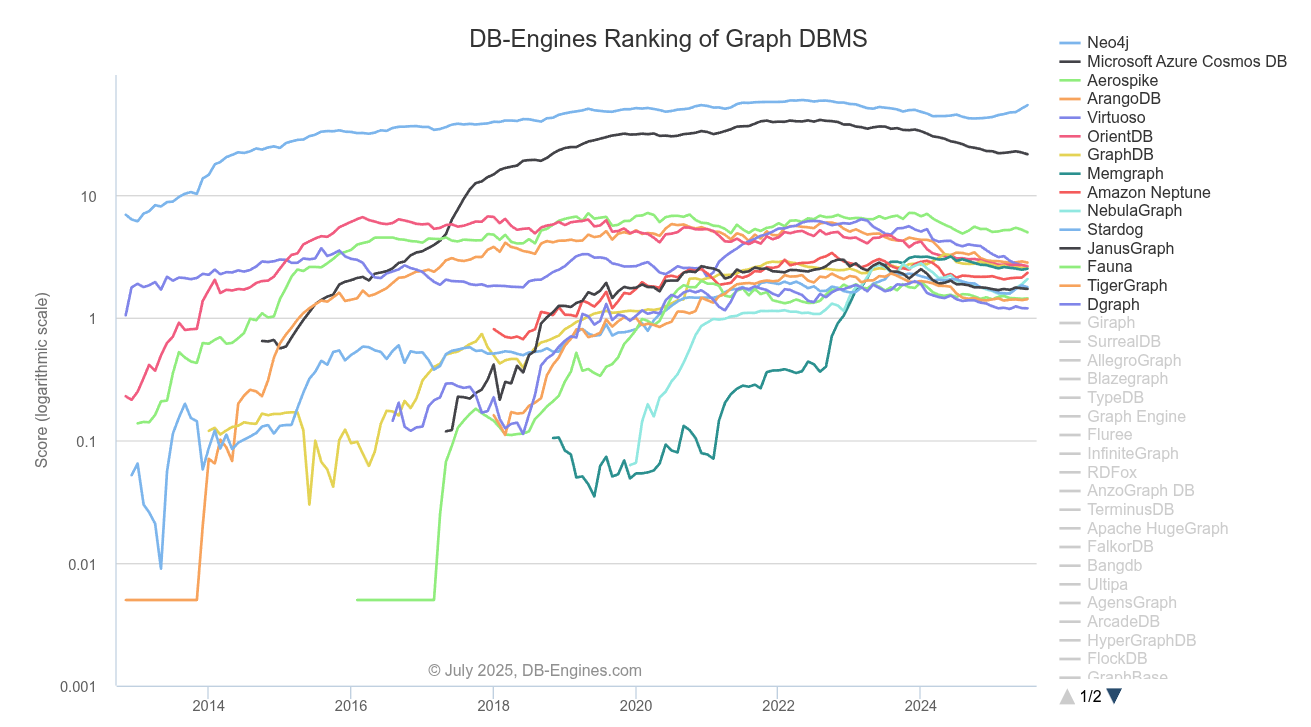
Neo4j
- Conceived in 2000 by founders frustrated with limitations of relational database systems
- Open-sourced in 2007
- Data is stored as nodes, relationships, and properties
- Uses the declarative Cypher query language
- Has decent support for horizontal scalability, supporting clustered environments
Docker Installation
Should you want to play around more with Neo4j locally, Docker Compose makes it simple:
services:
  neo4j:
    image: neo4j:latest
    volumes:
      - ./logs:/logs
      - ./config:/config
      - ./data:/data
      - ./plugins:/plugins
    environment:
      - NEO4J_AUTH=neo4j/yourpassword
    ports:
      - "7474:7474"
      - "7687:7687"
    restart: always
Interface and API
- You may notice that the docker image exposes not one but two ports!
- The first,
7474is the port of the web interface- A great way to connect to the database and play around with various queries
- The second,
7687is the API port, and what should be used if you are trying to connect other clients to the database
A Node to Joy
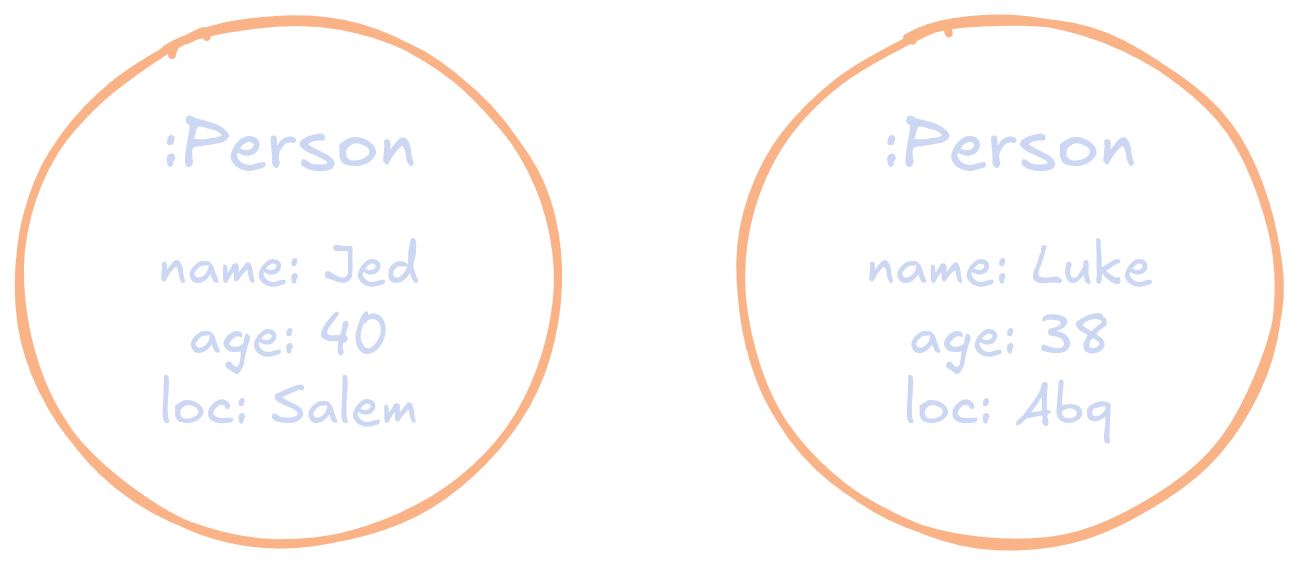
- A node in graph databases represents a single entity
- E.g. a person, or a product, or a place
- Akin to a row in a table
- Labeled, to differentiate between types of entities
- E.g., something like
:Person - Group things together, so could envision as a sort of table name
- E.g., something like
- Comprised of properties in the form of key-value pairs
- Make up what would be the columns and corresponding values in a relational model
- No script schema though
Node Examples
Relating Things
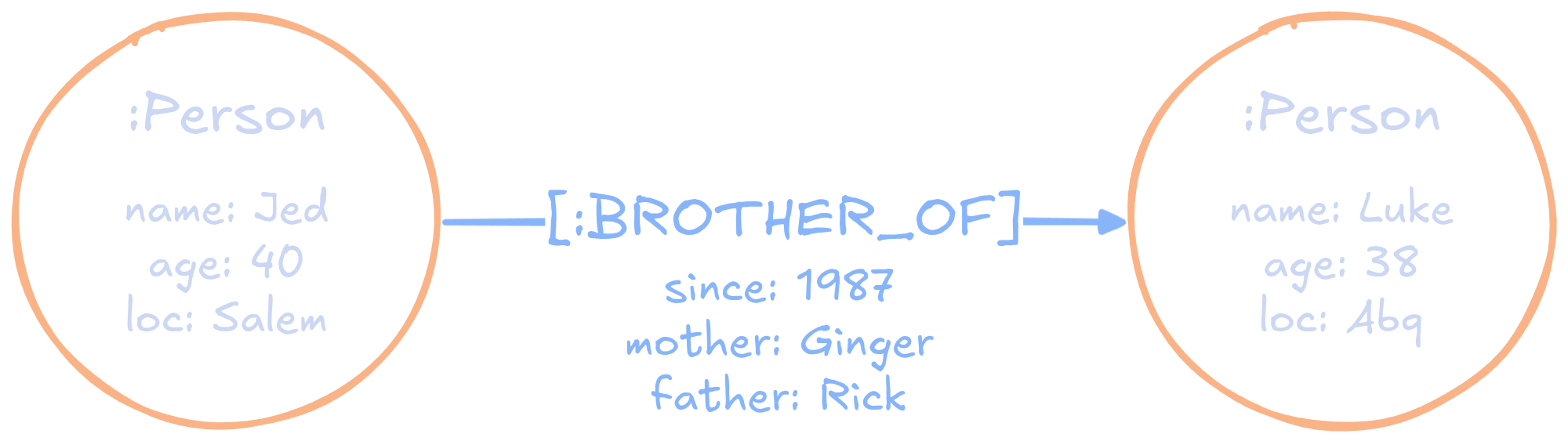
- A relation or edge in a graph database ascribes a relationship between two nodes
- These relations are named according to their meaning
- E.g.
[:FRIENDS_WITH],[:SIBLING_OF], or[:ACTED_IN]
- E.g.
- Relations are directed (always), pointing from one node to the other
- Can have as many relations as you want connected to nodes
- Each relationship can also have key-value properties defined on it!
A Familial Relation
Introducing Cypher
Suppose we wanted to create objects of these types
We need to use the declarative language Cypher
Initially just focused on creation
CREATE
  (a:Person {name: "Jed", age: 40, loc: "Salem"}),
  (b:Person {name: "Luke", age: 38, loc: "Abq"}),
  (a)-[:BROTHER_OF {since: 1987, mother: "Ginger", father: "Rick"}]->(b)
De-Cyphering Concepts
( )are used to indicate nodes-[ ]->are used to indicate relationships- Key-value properties are placed in
{ }, with keys and values separated by: - The
|||expr|||:|||label|||pattern sets a node variable equal to the|||expr|||which can be used elsewhere in the expression- A similar think can be done with the relation type
Querying in Cypher
Query essentials
- To go further, we need to understand how Cypher helps us construct queries
- This is going to be all about pattern matching
- E.g. “I am looking for nodes with this property that are related to other nodes of this label”
- The fundamental building blocks will thus be:
(|||some node|||) -[|||relation|||]-> (|||other node|||)clauses - The keywords are going to be
MATCHandRETURN
My First Cypher
The most basic structure of a query would look like:
MATCH
  (n:Person)-[:BROTHER_OF]->(:Person)
RETURN
  n
This would return a list of all node objects that match the given pattern
What is returned?
You can return as many things as you want, just separate them with commas
You can access specific properties by using dot notation:
RETURN n.name, n.agefor instance
The information you return can be from as many different nodes or relations as you want, provided you gave them a variable name to refer to them by
MATCH (a:Person)-[:BROTHER_OF]->(b:Person)
RETURN a.name, b.name
Filtering
- You can already filter on the graph structure using the covered syntax
- But what if you want to filter further based on the properties of the matching nodes and relations?
- Two options:
Include the require property in the node definition
MATCH (a:Person {loc: "Salem"})-[:BROTHER_OF]->(b:Person)
RETURN a.name, b.name
Or you can use a
WHEREstatementMATCH (a:Person)-[:BROTHER_OF]->(b:Person) WHERE a.loc = "Salem" RETURN a.name, b.name
More Generally
You do not need to specify a label or a relation type
- Just leave those fields blank if you want them to match to any node or relation
Query patterns can be more than just a single relation, but entire chains
MATCH
  (a:Actor)-[:ACTED_IN]->(m:Movie)
  (ca)-[r:ACTED_IN]->(m)
WHERE a.name = "Christian Bale"
RETURN
  ca.name, r.roles, m.name
Returning more than properties
- If you have a more general pattern, you might want to return more general concepts like the matching label or relation type
- Every node and relation is also given a unique identifier that you might want
- You can access these with special functions:
elementId(x)will get you the unique identifier ofx, wherexcould be a node or relationtype(r)will get you the type associated with a relationlabels(n)will get you the label(s) associated with any given node
Matching longer paths
If you have a longer chain that you want to match, you can use the repetition operator
*in your relation statementFor example,
MATCH (a)-[:KNOWS*]->(b)would match where node a and b were connected through any number of nodes that “knew” each other
Frequently, you’d want to further restrict this with a number:
MATCH (a)-[:FRIENDS_WITH*2]->(b)to get friends of friends for example
Fetching Specific Paths
You can also query for a range of hops:
MATCH (a)-[:KNOWS*1..6]->(b)would match anything between 1 and 6 steps away
If what you are mainly interested is the entire matching path, you can also assign a variable to that
MATCH p = (a)-[:KNOWS*1..6]->(b)
RETURN p
Break!
GraphDB Snapshots
A Python Client
- Browser interfaces are great for testing things, but they don’t help us in production environments
- We need a method to be able to connect to and query Neo4j databases through Airflow
- In general, this is going to look very similar to
what we did with MongoDB
- A main Python library to handle connecting and queries:
neo4j(shocking) - An Airflow hook to facilitate storing credentials in Airflow
- A main Python library to handle connecting and queries:
The Airflow Hook
- The Airflow hook is the simple part:
- Add the
apache-airflow-providers-neo4jlibrary to yourDockerfile - Redeploy your Airflow, making sure it gets rebuild
- Add the
- Then in your connections page, if you make a new connection, you’ll see a neo4j option
- You can fill this out as usual, with the connection info I will get
you as soon as I have it running
- It should mostly be the same, but Neo4j seems to insist on a longer password, so that might have to be slightly different from our usual, unless I can figure out how to override that
In the DAG
This is almost identical to Mongo
Import the hook:
from airflow.providers.neo4j.hooks.neo4j import Neo4jHookCreate the hook in your task
hook = Neo4jHook(neo4j_conn_id=|||conn name|||)You can then run queries directly with
results = hook.run(|||Cypher query|||)- This returns a list of dictionaries
Neo4j
- Under the hood, the
Neo4jHookis utilizing theneo4jPython library - You can utilize this directly if you find it useful, but
the
.run()method ofNeo44jHookshould largely make it unnecessary. - Should you need, the basic steps are to the right
from neo4j import GraphDatabase

driver = GraphDatabase.driver(
  "bolt://hostname:7687",
  auth=(|||user|||, |||password|||)
)

with driver.session() as s:
  results = s.run(|||Cypher query|||)
What parts?
- To get a full picture of a graph database, you generally will need
to grab all the nodes and all the relations
- You can get these in one query, but it might be nicer for later processing to have them separate
- If you have multiple node labels, it may or may not be worth grabbing them separately
- Mostly, considerations revolve around how you might unnest the data later to put into a tabular form (if that is the desired form)
What format?
- Easily the most straightforward is probably JSON
- You already have a list of dictionaries from
hook.run, just convert it to JSON withjson.dumpsand then write it to your S3 bucket
- You already have a list of dictionaries from
- If your schema’s are pretty consistent, it may be worth flattening it immediately using something like Pandas (or looping manually), and then writing it directly as parquet
Reconstruction
- If you really want to be able to reconstruct the graph later in
something like Python’s
networkxlibrary, you might consider a node-link format, as shown to the right - If you have all the data in some format, you can always regenerate this as needed. Whether you want to store things in this format is more up to you
{
  "nodes": [
    {
      "id": "1",
      "label": "Node A"
    },
    {
      "id": "2",
      "label": "Node B"
    },
    {
      "id": "3",
      "label": "Node C"
    }
  ],
  "edges": [
    {
      "source": "1",
      "target": "2",
      "label": "Edge 1-2"
    },
    {
      "source": "2",
      "target": "3",
      "label": "Edge 2-3"
    }
  ]
}
Your Time!
For Next Week
- The new Neo4j database should be up by the end of Friday, and Milestone 4 will follow over the weekend
- I’d prioritize:
- Finishing up anything on Milestone 3
- Getting snapshots set up for the new database
- Ensure your documentation is up to date
- Start thinking about the dimensional modeling for the new Milestone
- Milestone 4 not due for 2 weeks
- It does have a transfer immediately afterwards, so dashboards and documentation will need to be completed on time